

In short
- A reviewer spends 30 to 60 minutes on a senior mobile take-home assignment and reads the README first, then the decisions, then the tests, then the UI.
- The README should say what you chose not to do and why, what another day would buy, how to run it, and the known issues.
- Senior is earned by one testable boundary around the network, handled error and empty states, and one test per real risk, not by the number of patterns.
- Over-engineering, force unwraps on network data, main-thread IO and leaked work sink more submissions than missing features.
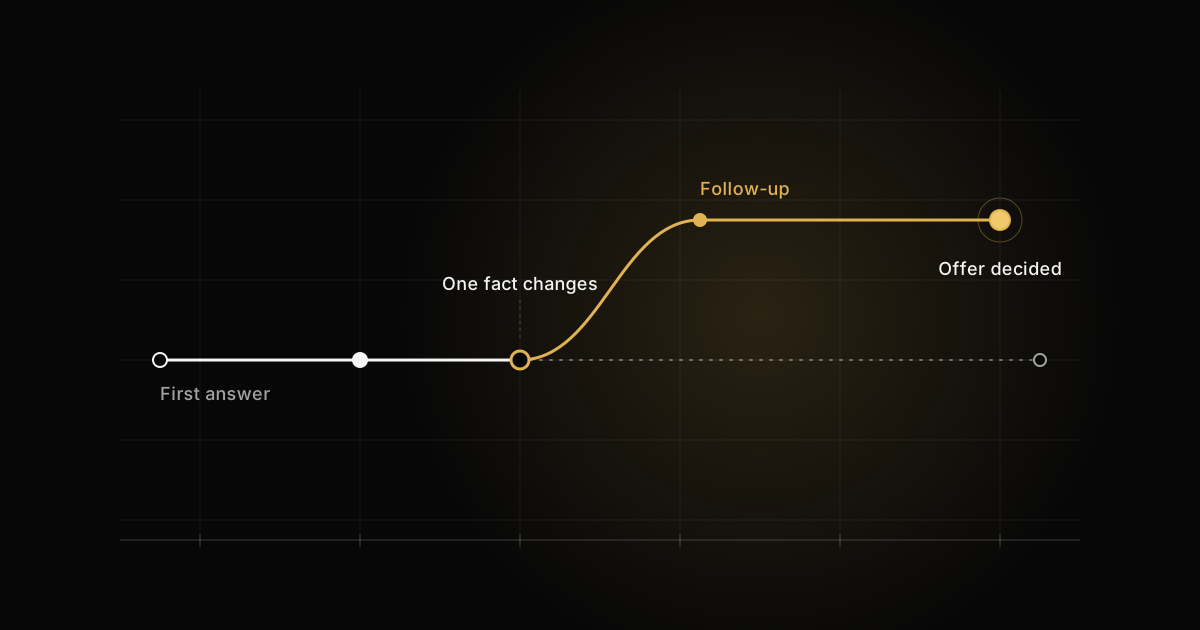
- The follow-up call changes one requirement, such as cursor pagination or offline, and exposes any code you cannot explain.
A senior mobile take-home assignment is graded in far less time than it took to build. The reviewer has 30 to 60 minutes, a rubric that fits on one screen, and a stack of other submissions. What they are looking for is not the most complete iOS or Android app. It is evidence of the decisions a senior engineer makes when nobody is watching: what to build, what to leave out, and what to protect with a test.
I have reviewed take-home assignments as part of 500+ technical interviews on the hiring side, as a staff engineer and mobile architect. The submissions I remember are rarely the biggest ones. They are the ones where I could see every decision in the first ten minutes and agree with most of them.
What a senior mobile take-home assignment looks like
The brief barely varies. Build a small app with a list screen and a detail screen. Load the data from a public or provided API. Add one harder requirement, usually pagination or offline support. Write tests. Spend about four hours.
The size is deliberate. Two screens and one network call are small enough that nobody needs a framework to finish them, so every framework you add is a choice the reviewer will read as a choice. The harder requirement is where the grading happens, because pagination and offline both have edge cases that a quick build gets wrong: a duplicate page on a fast scroll, a stale cache shown as fresh, an error that replaces data the user was already reading.
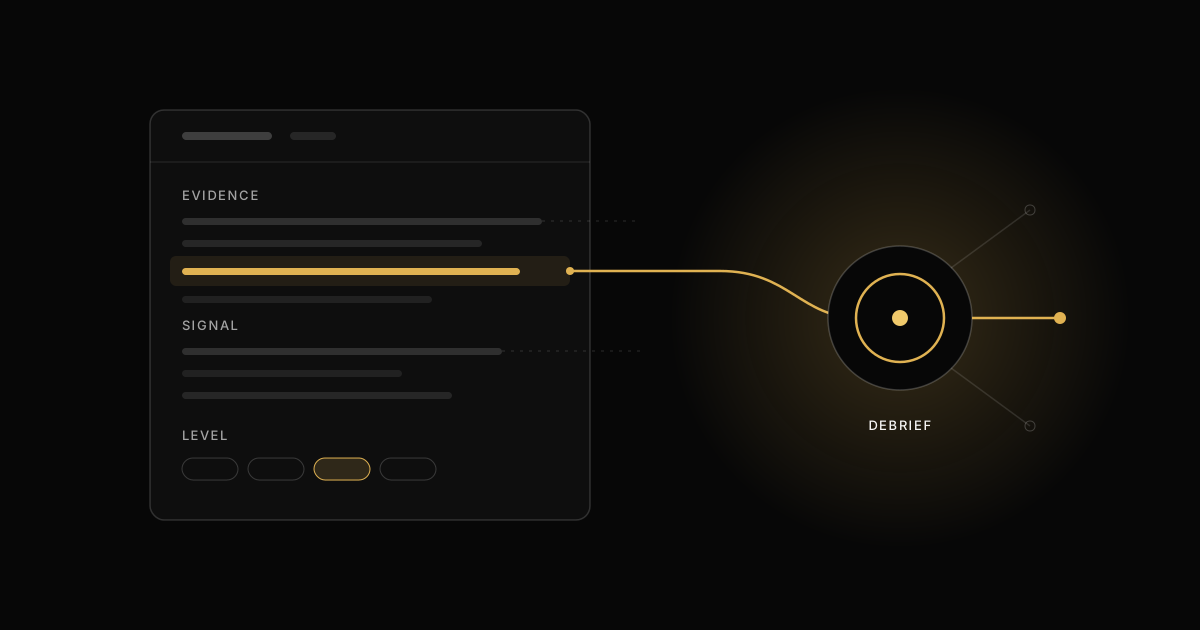
The order I read a submission in
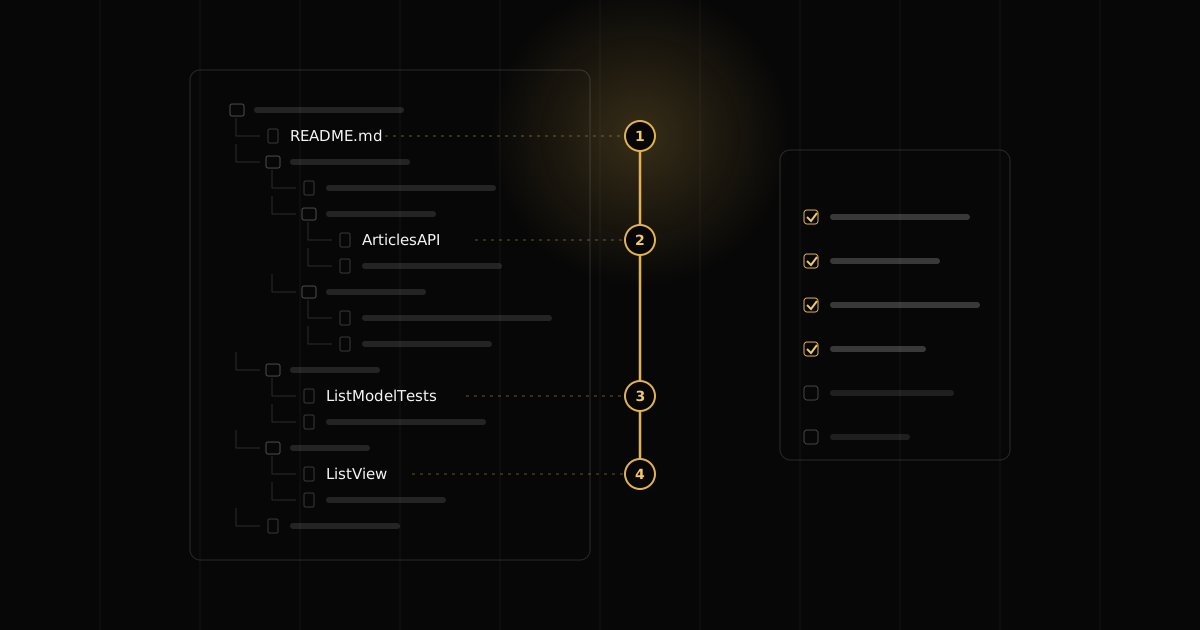
What I open first is not the app. The order below is close to what most reviewers I have worked with do, because it is the fastest way to find the signal.
- The README. Two minutes. It tells me what you think the hard part was and whether you know what you left out.
- The decisions. The project structure, the dependency list, the network layer and the state model of one screen. If the history is clean, I read the commits in order, because they show the sequence of decisions better than the final tree.
- The tests. Not the coverage number. Which behaviors you chose to protect, and whether the tests would fail if the code were wrong.
- The UI. Last. I run it, turn on airplane mode, scroll fast, rotate, and open the detail screen from a half-loaded list.
Running the app last surprises people. The reason is simple: a polished UI on top of a fragile data layer takes longer to discover than the reverse, so I read the data layer while I still have attention.
What the README must say
The README is the only part of the submission where you get to talk. Most candidates spend it on a feature list, which I can see by running the app. A strong one fits on a screen and covers four things.
- What you chose not to do, and why. "No image cache beyond URLCache; the list shows twenty thumbnails and the brief did not mention performance." One sentence per omission turns a gap into a decision.
- What you would do with another day. Ordered by risk, not by how interesting it is. This is the list I read to decide whether you know where the weak points are.
- How to run it. Tool versions, any API key and where it goes, and the one command that runs the tests.
- Known issues. A bug you found and did not fix, written down, scores better than the same bug found by me. It shows you tested your own work.
Architecture belongs in the README only as a short paragraph on why this shape, for this size. "MVVM with a repository, because the offline requirement needs one place that decides between cache and network" is enough. A diagram of five layers for two screens invites the question of why there are five layers.
What earns a senior grade
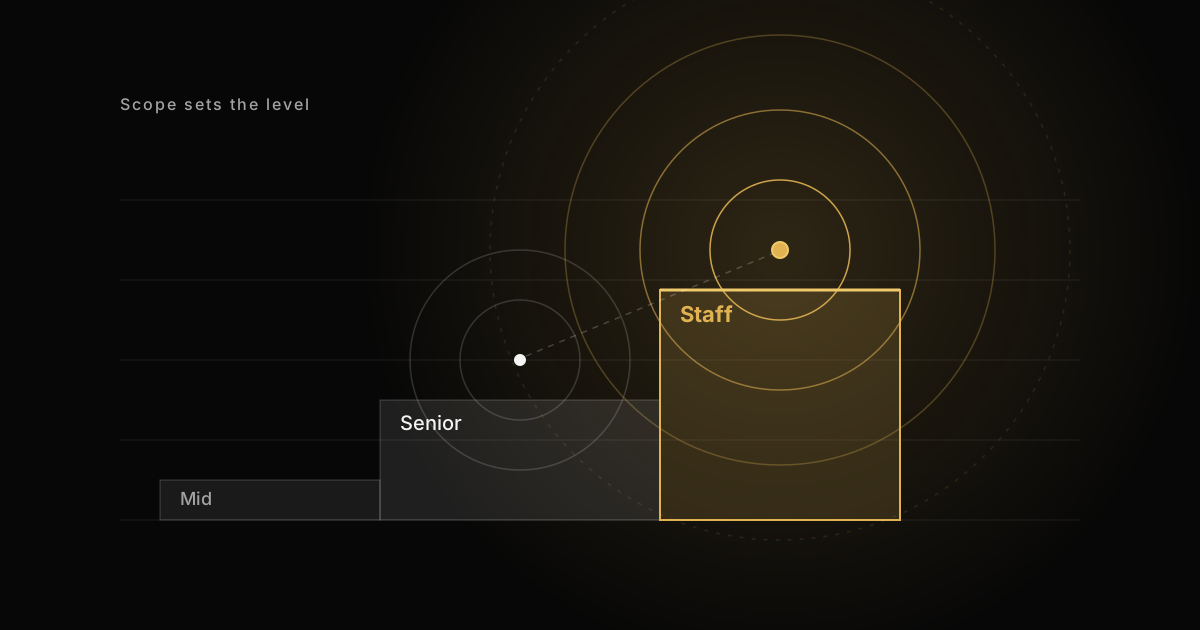
The rubric lines that separate senior from mid-level are not about knowing more patterns. They are about restraint and coverage of the ways the app fails.
- A boundary that makes the network testable. The screen's state logic depends on an interface, not on URLSession or Retrofit directly, so it can be tested without a server.
- Every state handled. Loading, loaded, empty, failed, and for pagination, loading more and failed to load more. The empty state is the one most often missing.
- One well-chosen test per risk. A test for the empty response, a test for the error, a test for the pagination edge. Not forty tests of getters.
- No dead code. No commented-out blocks, no unused protocol with one conformer "for the future", no template files the project generator left behind.
- One architecture, applied consistently. If the list uses a view model, so does the detail screen. Mixing two approaches reads as two sessions with no review in between.
The boundary and the test a reviewer looks for
Here is the shape I hope to find on iOS. A protocol for the API, a small implementation that checks the status code instead of trusting it, and a view model whose states are explicit.
struct Article: Decodable, Equatable, Sendable {
    let id: String
    let title: String
}

protocol ArticlesAPI: Sendable {
    func articles() async throws -> [Article]
}

struct HTTPArticlesAPI: ArticlesAPI {
    let url: URL
    let session: URLSession

    func articles() async throws -> [Article] {
        let (data, response) = try await session.data(from: url)
        guard let http = response as? HTTPURLResponse,
              (200..<300).contains(http.statusCode) else {
            throw URLError(.badServerResponse)
        }
        return try JSONDecoder().decode([Article].self, from: data)
    }
}

@MainActor
@Observable
final class ArticleListModel {
    enum State: Equatable {
        case loading
        case loaded([Article])
        case empty
        case failed(String)
    }

    private(set) var state: State = .loading
    private let api: any ArticlesAPI

    init(api: any ArticlesAPI) {
        self.api = api
    }

    func load() async {
        state = .loading
        do {
            let items = try await api.articles()
            state = items.isEmpty ? .empty : .loaded(items)
        } catch {
            state = .failed("Could not load articles.")
        }
    }
}
The test does not need a mocking library. A fake that returns a fixed result is enough, and each test names the risk it protects.
import Testing

struct FakeArticlesAPI: ArticlesAPI {
    var result: Result<[Article], any Error>

    func articles() async throws -> [Article] {
        try result.get()
    }
}

@MainActor
struct ArticleListModelTests {
    @Test func emptyResponseShowsEmptyState() async {
        let model = ArticleListModel(
            api: FakeArticlesAPI(result: .success([]))
        )
        await model.load()
        #expect(model.state == .empty)
    }

    @Test func serverErrorShowsFailureState() async {
        let model = ArticleListModel(
            api: FakeArticlesAPI(
                result: .failure(URLError(.badServerResponse))
            )
        )
        await model.load()
        #expect(model.state == .failed("Could not load articles."))
    }
}
On Android the same shape is an interface for the repository, a StateFlow of sealed states, and a view model that turns every failure from the repository into a Failed state. That includes a JSON parse error, not only a network error, because a malformed response is as likely as a dropped connection. Catching CancellationException by accident is a bug reviewers look for, so it is rethrown in its own clause before the general one.
interface ArticleRepository {
    suspend fun articles(): List<Article>
}

sealed interface ListState {
    data object Loading : ListState
    data object Empty : ListState
    data class Loaded(val items: List<Article>) : ListState
    data class Failed(val message: String) : ListState
}

class ArticleListViewModel(
    private val repository: ArticleRepository,
) : ViewModel() {
    private val _state = MutableStateFlow<ListState>(ListState.Loading)
    val state: StateFlow<ListState> = _state.asStateFlow()

    fun load() {
        viewModelScope.launch {
            _state.value = ListState.Loading
            _state.value = try {
                val items = repository.articles()
                if (items.isEmpty()) ListState.Empty
                else ListState.Loaded(items)
            } catch (e: CancellationException) {
                throw e
            } catch (e: Exception) {
                // Network and parse errors alike end in Failed
                ListState.Failed("Could not load articles.")
            }
        }
    }
}
class FakeArticleRepository : ArticleRepository {
var result: Result<List<Article>> = Result.success(emptyList())
override suspend fun articles(): List<Article> = result.getOrThrow()
}
@OptIn(ExperimentalCoroutinesApi::class)
class ArticleListViewModelTest {
private val dispatcher = StandardTestDispatcher()
@Before fun setUp() = Dispatchers.setMain(dispatcher)
@After fun tearDown() = Dispatchers.resetMain()
@Test
fun networkFailureShowsFailedState() = runTest(dispatcher) {
val repository = FakeArticleRepository().apply {
result = Result.failure(IOException("offline"))
}
val viewModel = ArticleListViewModel(repository)
viewModel.load()
advanceUntilIdle()
assertEquals(
ListState.Failed("Could not load articles."),
viewModel.state.value,
)
}
}Nothing here is clever, and that is the point. The reviewer can see in one pass that the states are complete, that the network can be replaced, and that the test would fail if the error branch were removed. That is worth more than a use case layer, a coordinator and a dependency injection container around two screens.
What sinks a submission
Missing features rarely sink a senior take-home assignment, if the README says what is missing. These do.
- Over-engineering. Five layers, a generic
UseCase<Input, Output>base type and a module per screen, for two screens. It reads as a template brought from somewhere else, not a decision made for this brief. - Hidden crashes on network data. A force unwrap in Swift or
!!in Kotlin on a field the server sends. The API is not under your control; a missing field should become a state, not a crash. - IO on the main thread. Decoding a large response or reading the database on the main actor or main dispatcher. It works in the simulator with a fast connection, which is why reviewers check for it.
- Leaked work. A
Taskthat is never cancelled when the screen goes away, a coroutine launched inGlobalScope, a closure that capturesselfstrongly inside a long-lived publisher. Each one is a line in my notes. - No test for the one tricky thing. Twenty tests of the happy path and none for the page that arrives after the user pulled to refresh. The rubric asks about risk, and that was the risk.
- Copy-pasted boilerplate. Two view models that differ in three lines, or a network helper duplicated per screen. Duplication in a four-hour project suggests the second screen was written in a hurry and never reread.
The follow-up call: one requirement changes
A good take-home process ends with a call where the reviewer shares your code and changes one requirement. "The API now paginates with a cursor." "The list must work offline." "The detail screen can be opened from a push notification before the list has loaded." You are not expected to write the full change live. You are expected to point at the files that change, the ones that do not, and the test you would add first.
This is where the boundary pays back. With the protocol above, cursor pagination is a change to one interface and one view model, and the screen does not care where the pages come from.
struct ArticlePage: Decodable, Sendable {
    let items: [Article]
    let nextCursor: String?
}

protocol PagedArticlesAPI: Sendable {
    func page(after cursor: String?) async throws -> ArticlePage
}
Asked in the loop The API now paginates with a cursor. What changes in your code?
"I'd add pagination to the view model. When the user scrolls to the bottom, I call the API again and append the results. It should be pretty quick to add."
"The API protocol changes to take a cursor and return the next one, and the fake changes with it. The view model gets two new states, loading more and failed to load more, so an error on page three doesn't wipe pages one and two. The risky part is a second request while one is in flight, so I'd keep the in-flight task and ignore the trigger until it finishes, and that's the first test I'd write: two scroll triggers, one request. The views and the detail screen don't change."
The strong answer names the files that change, the new states, the one concurrency risk and the test for it, in that order. The weak answer describes the feature and skips every edge case the reviewer is waiting for.
To prepare, reread your own submission the day before, with the brief next to it. For each of the three likely changes, pagination, offline and a deep link into detail, write down which types change and which test comes first. If a change touches every file, say so on the call and say what you would restructure. Admitting that the boundary is in the wrong place, and knowing where it should be, is a senior answer. The same reasoning about where boundaries go is the core of the architecture round.
Time boxes and AI assistants
When the brief says four hours, spending twenty is also a signal, and not the one candidates hope for. A reviewer who sees offline sync, animations, a design system and 90 tests in a four-hour task does not conclude that you are four times better. They conclude that the comparison with other candidates is unfair, or that you cannot scope work to a budget, which is a large part of the senior job. Stay close to the stated time, and write in the README what you would do with more of it. If you went over, say by how much.
On AI assistants, the rule is plain: follow the company's stated policy. Some briefs allow them, some forbid them, some ask you to disclose how you used them. If the brief is silent, ask the recruiter in writing. Whatever the policy, the follow-up call treats every line as yours. If you cannot explain why a type is @MainActor, why a flow uses stateIn with a particular sharing policy, or what the retry logic does on the third failure, the call will find it in the first ten minutes. Code you cannot defend costs more than code you did not write.
Practicing the follow-up, not the app
You do not need more practice building list screens. You need practice explaining a decision out loud, then changing it when one fact moves. That is the loop both books are built around. iOS Interview Training and Android Interview Training cover architecture, concurrency, testing and system design questions with the weak answer, the strong answer and the follow-ups that come after. There are free samples for iOS and Android if you want to see the format first.
Questions readers ask
© 2026 Mike Salari, Interview Runtime. All rights reserved. Quoting a short excerpt with a link to this page is welcome; republishing the article, in full or in part, is not.