

In short
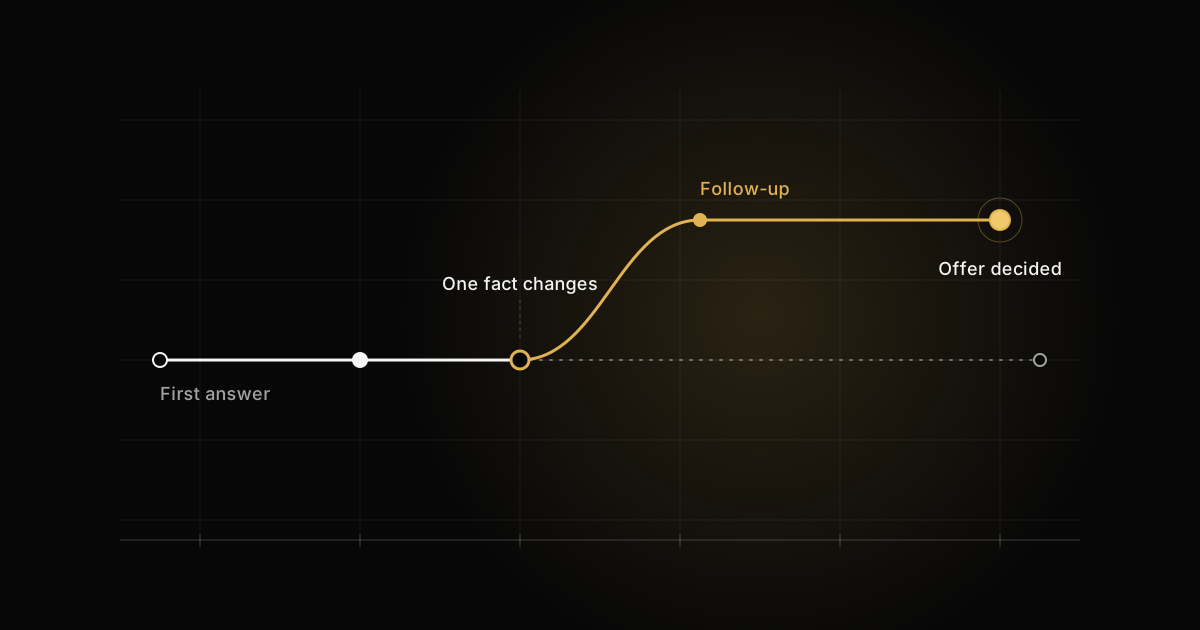
- In a senior Android loop, a correct coroutine answer is the entry fee; the score comes from how you reason when the interviewer changes one condition.
- Cancellation in Kotlin coroutines is cooperative, so a CPU loop without ensureActive() and a runCatching that swallows CancellationException both keep running after the scope is cancelled.
- A failed async in a regular coroutineScope cancels its parent immediately, even if await() is never called; only a supervisor defers the failure to await().
- CoroutineExceptionHandler only runs on root coroutines and direct children of a supervisor, never on a nested launch inside a regular job.
- stateIn with SharingStarted.WhileSubscribed(5_000) keeps the upstream alive through a configuration change and stops it once the app has been in the background for five seconds.
Kotlin coroutines interview questions in a senior Android loop are rarely hard on the first pass. Most candidates can define a scope, name the dispatchers and say that StateFlow is hot. The score is decided one question later, when I change a single condition and ask what breaks. This article walks through the questions I ask from the hiring side, the answer that loses the point, the answer that keeps it, and the follow-up that tells me which one I am hearing.
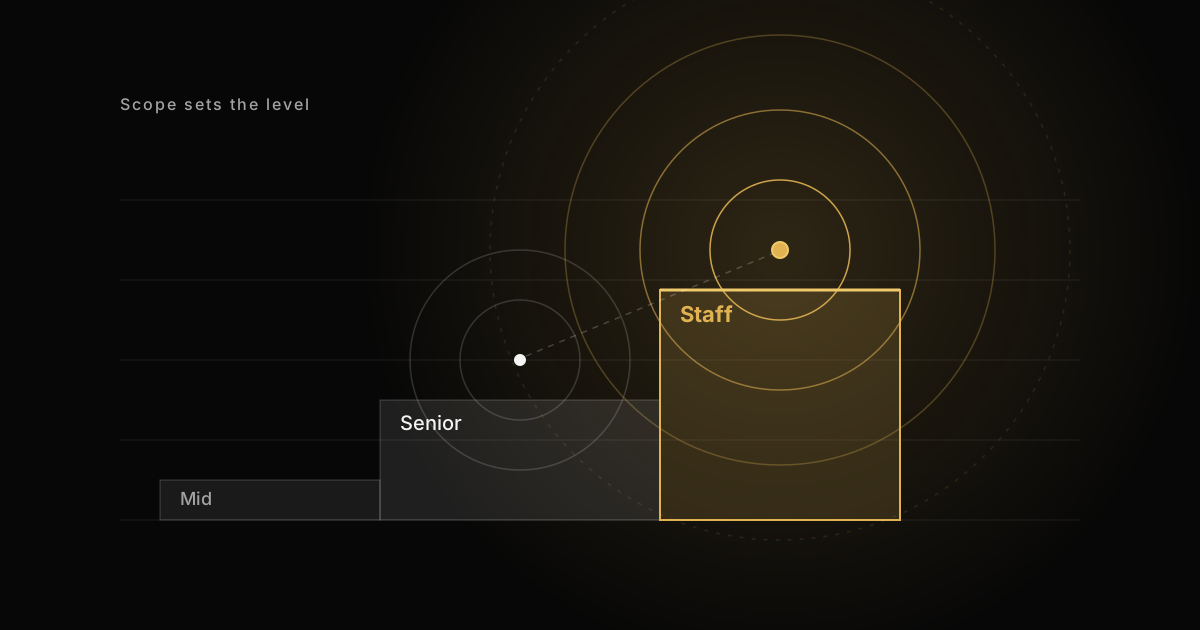
I have run more than 500 technical interviews over 15 years of building production mobile software, as a staff engineer, mobile architect and tech lead. The pattern is stable. Correct answers get you into the conversation. Reasoning under pushback is what gets written in the scorecard. If that idea is new, the follow-up is the interview explains how the loop is graded.
Structured concurrency: the scope question
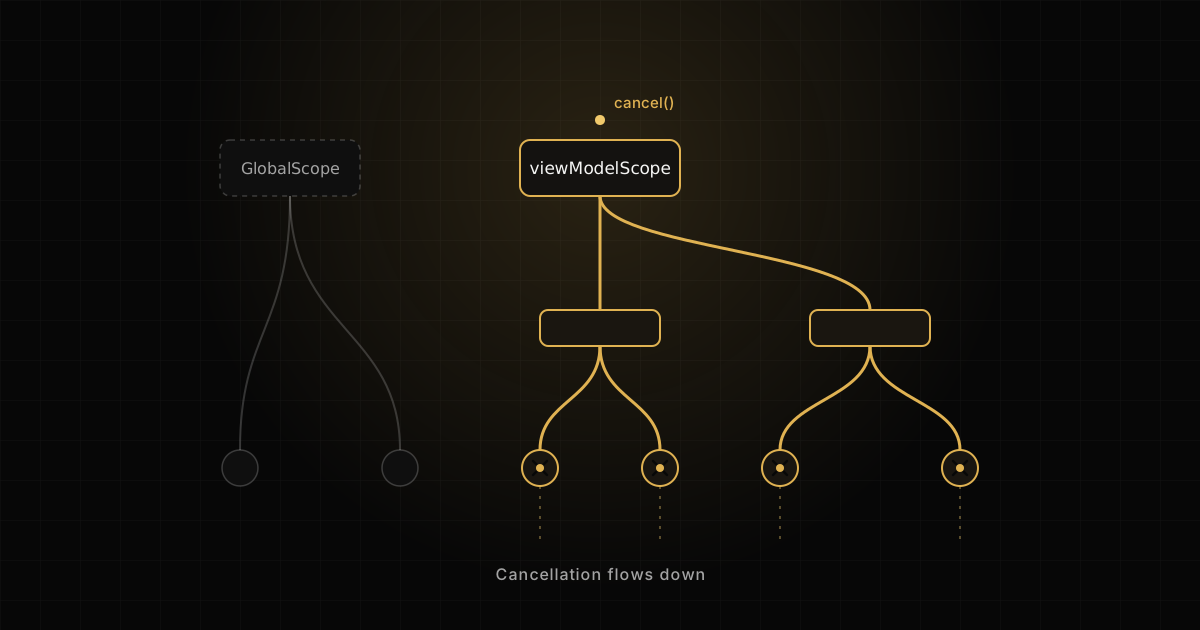
Structured concurrency means every coroutine is started inside a scope, and the scope does not complete until all of its children do. Cancel the scope and every child is cancelled. That one rule is why the first question is about where a coroutine lives, not how it runs.
class ProfileViewModel(
    private val repo: ProfileRepository
) : ViewModel() {

    fun refresh() {
        // Fails review: nothing ever cancels this
        GlobalScope.launch { repo.sync() }

        // Child of the ViewModel, cancelled in onCleared()
        viewModelScope.launch { repo.sync() }
    }
}
Asked in the loop Why does GlobalScope.launch fail code review on an Android team?
Because it is marked as a delicate API and Google says not to use it.
Because it has no parent. The coroutine outlives the screen that started it, keeps a reference to whatever it captured, and cannot be cancelled by anything that owns the screen. It also swallows the connection between the work and its caller: nobody waits for it and nobody sees its failure except the global handler. viewModelScope is cancelled in onCleared(), and lifecycleScope is cancelled when the lifecycle reaches DESTROYED, so the work is tied to something that ends.
Follow-up: "The sync must finish even if the user leaves the screen. Now what?"
This is where memorized answers stop. The weak move is to go back to GlobalScope because it seemed to fit. The strong move is to name the real lifetime. If the work must outlive the screen but not the process, inject an application-scoped CoroutineScope(SupervisorJob() + Dispatchers.Default) from your dependency graph, so it is testable and you can still cancel it. If it must survive process death, it belongs in WorkManager, not in a coroutine scope at all. The candidate who asks which of those two the product needs is the one I mark as senior.
Cancellation is cooperative, and runCatching breaks it
Cancellation in Kotlin coroutines is a request, not an interrupt. A coroutine only stops at a suspension point that checks for cancellation, or where your code checks explicitly. Suspending functions from kotlinx.coroutines, such as delay and withContext, check for you. A tight CPU loop does not.
suspend fun checksum(bytes: ByteArray): Long =
    withContext(Dispatchers.Default) {
        var sum = 0L
        for (i in bytes.indices) {
            // Without this, cancel() is ignored until the loop ends
            if (i % 4_096 == 0) ensureActive()
            sum = sum * 31 + bytes[i]
        }
        sum
    }
Asked in the loop The user leaves the screen while this checksum runs on a 2 GB file. What happens?
viewModelScope is cancelled, so the coroutine stops.
The job is marked cancelled, but without ensureActive() the loop keeps burning a Default thread until it finishes, and only then does withContext notice and throw CancellationException. The fix is to check cooperatively: ensureActive() throws if the job is no longer active, isActive lets you exit cleanly, and yield() also gives other coroutines on the dispatcher a turn. I check every few thousand iterations, not every one, because the check is cheap but not free.
Follow-up: "Your repository wraps every call in runCatching. Is cancellation still safe?"
Most candidates have never thought about this one. runCatching catches Throwable, and CancellationException is a Throwable. When the scope is cancelled while repo.load() is suspended, the cancellation lands in the Result as an ordinary failure. The coroutine does not stop. It carries on to the next line and writes an error state for a screen that no longer exists.
viewModelScope.launch {
    val result = runCatching { repo.load() }
    // On cancellation this runs, with CancellationException
    result.onFailure { _state.value = UiState.Error }
}

// A version that lets cancellation through
inline fun <T> runSuspendCatching(block: () -> T): Result<T> =
    try {
        Result.success(block())
    } catch (e: CancellationException) {
        throw e
    } catch (e: Exception) {
        Result.failure(e)
    }
Because the helper is inline, the lambda can call suspending functions when it is used inside a coroutine. The strong candidate also sees the next trap: withTimeout throws TimeoutCancellationException, a subclass of CancellationException, so this helper rethrows it too. If you want a timeout to become a value, use withTimeoutOrNull instead of catching.
Exception propagation: launch, async and SupervisorJob
suspend fun loadDashboard(): Dashboard = coroutineScope {
    val profile = async { api.profile() }
    val feed = async { api.feed() }
    Dashboard(profile.await(), feed.await())
}
Asked in the loop What is the difference between launch and async when the block throws?
launch throws right away. async keeps the exception until you call await().
Both children report the failure to their parent job as soon as they fail. In a regular coroutineScope, a failed async cancels the scope and its siblings immediately, whether or not anyone ever calls await(). The difference is only in how the exception is exposed: launch treats it as uncaught, async also stores it in the Deferred so await() rethrows it. The 'held until await' behavior is real only under a supervisor.
Follow-up: "The feed is optional. If it fails, show the profile anyway."
A SupervisorJob is a job whose children fail independently: one child's failure does not cancel the parent or its siblings. supervisorScope gives you the same behavior for a block of work. With it, the feed failure stays inside the Deferred and surfaces only when you await it, which is exactly where you want to handle it.
suspend fun loadDashboard(): Dashboard = supervisorScope {
    val profile = async { api.profile() }
    val feed = async { api.feed() }
    val items = try {
        feed.await()
    } catch (e: IOException) {
        emptyList()
    }
    Dashboard(profile.await(), items)
}
Then comes the question that catches people who learned SupervisorJob from a snippet. What does viewModelScope.launch(SupervisorJob()) { ... } do? It does not make the child a supervisor. A job passed in the context becomes the parent of the new coroutine, which cuts it loose from viewModelScope. onCleared() no longer cancels it. You wanted resilience and you built a leak.
Where CoroutineExceptionHandler works
val handler = CoroutineExceptionHandler { _, e ->
    logger.error("Uncaught in sync", e)
}
val appScope = CoroutineScope(SupervisorJob() + Dispatchers.Default)

// Runs: installed on a root coroutine
appScope.launch(handler) { sync() }

// Never runs: the child hands its failure to the parent
appScope.launch {
    launch(handler) { sync() }
}
A CoroutineExceptionHandler is the last resort for uncaught exceptions, and it is consulted only on root coroutines and on direct children of a supervisor. Everywhere else, the child delegates the exception to its parent and the handler in its context is ignored. It never applies to async, whose exceptions belong to whoever awaits. viewModelScope has no handler of its own, so an uncaught exception in viewModelScope.launch reaches the thread's uncaught exception handler and crashes the app. Candidates who know that last fact tend to know why their team wraps work in try and catch at the edge.
Dispatchers and main-safety: who owns the thread
Asked in the loop Where should withContext(Dispatchers.IO) go?
In the ViewModel, around the call to the repository, so the UI thread is not blocked.
In the class that does the blocking work. A suspend function should be main-safe: callable from Dispatchers.Main without blocking it. If the repository reads a file, the repository switches to IO around the read. The caller should not need to know which calls block. I also inject the dispatcher so tests can replace it.
Follow-up: "Room and Retrofit are already suspend. Do you still wrap them?"
class ArticleRepository(
    private val dao: ArticleDao,
    private val parser: FeedParser,
    private val io: CoroutineDispatcher = Dispatchers.IO,
    private val cpu: CoroutineDispatcher = Dispatchers.Default
) {
    suspend fun importFeed(file: File): Int {
        val raw = withContext(io) { file.readText() }
        val articles = withContext(cpu) { parser.parse(raw) }
        dao.insertAll(articles) // suspend DAO: already main-safe
        return articles.size
    }
}
The strong answer to the follow-up is no. Suspend DAO methods in Room and suspend functions in Retrofit already move their work off the main thread, so wrapping them in IO adds a context switch and nothing else. The file read blocks, so it goes to IO. Parsing is CPU work, so it goes to Default, which is sized to the number of cores. IO allows many more threads because they spend most of their time waiting. A staff candidate usually adds that Dispatchers.IO.limitedParallelism(n) caps concurrency for one resource, such as a database that cannot take 64 parallel writers.
Flow questions: cold, hot, StateFlow and SharedFlow
A cold Flow runs its producer once per collector, starting when collection starts. A hot flow exists independently of collectors and shares one stream with all of them. StateFlow is a hot flow that always holds exactly one current value, needs an initial value, and skips emissions equal to the current one. SharedFlow is a hot flow with configurable replay and buffer and no required value.
Asked in the loop When do you use StateFlow and when SharedFlow?
StateFlow for state, SharedFlow for events.
StateFlow when the screen needs the latest value on subscription and intermediate values do not matter: it is conflated, so a slow collector only sees the newest state. SharedFlow when every emission matters or there is no meaningful initial value. For one-off UI events I am careful: a SharedFlow with replay 0 drops an event if nobody is collecting at that moment, for example during a configuration change. I either model the event as state that the UI consumes and clears, or I use a Channel exposed with receiveAsFlow(), which holds the event until someone takes it.
Follow-up: "Why WhileSubscribed(5_000) and not Eagerly or Lazily?"
class InboxViewModel(repo: InboxRepository) : ViewModel() {
    val state: StateFlow<InboxState> = repo.messages()
        .map { InboxState.Loaded(it) }
        .stateIn(
            scope = viewModelScope,
            started = SharingStarted.WhileSubscribed(5_000),
            initialValue = InboxState.Loading
        )
}
stateIn turns a cold flow into a StateFlow owned by a scope. Eagerly starts the upstream at once and never stops until the scope ends. Lazily starts on the first subscriber and never stops. WhileSubscribed(5_000) starts on the first subscriber and stops the upstream five seconds after the last one leaves. On rotation the activity is destroyed and recreated in well under five seconds, so the database query or socket survives and the new screen gets the current value without a reload. When the user sends the app to the background, collection stops, the timer runs out and the upstream is shut down, so nothing keeps querying for a screen nobody is looking at. The five seconds is a chosen margin, not a platform constant. The candidate who says that out loud, and names what would change it, has answered the real question.
Collecting Flow safely and handling backpressure
override fun onViewCreated(view: View, savedInstanceState: Bundle?) {
    super.onViewCreated(view, savedInstanceState)
    viewLifecycleOwner.lifecycleScope.launch {
        viewLifecycleOwner.repeatOnLifecycle(Lifecycle.State.STARTED) {
            viewModel.state.collect { render(it) }
        }
    }
}
Asked in the loop Why repeatOnLifecycle instead of lifecycleScope.launch { flow.collect { } }?
It is the recommended API now.
A plain launch in lifecycleScope keeps collecting until DESTROYED, so the fragment renders while stopped and the upstream stays subscribed in the background, which also defeats WhileSubscribed. repeatOnLifecycle(STARTED) launches the block when the lifecycle reaches STARTED, cancels it when it drops below, and relaunches on the next start. The older launchWhenStarted only paused the coroutine, so the upstream kept producing. In a fragment I use viewLifecycleOwner, because the fragment can outlive its view. In Compose the same idea is collectAsStateWithLifecycle().
Follow-up: "The producer is faster than the UI. What do you do?"
By default a Flow is sequential: emit suspends until the collector has finished with the previous value. That is backpressure for free, and it is also why a slow collector slows the producer. The three operators answer three different questions.
buffer()runs the producer in a separate coroutine and lets it get ahead by a fixed capacity. Every value is still delivered.conflate()keeps only the most recent value while the collector is busy. Intermediate values are dropped, which suits sensor readings or progress.collectLatest { }cancels the block that is still running when a new value arrives. It suits search, where the old query's result is worthless.
sensorReadings
    .conflate()
    .collect { reading -> chart.draw(reading) }

queries.collectLatest { query ->
    // Cancelled if a newer query arrives first
    _results.value = repo.search(query)
}
The follow-up that ends this section: what does conflate() do on a StateFlow? Nothing. StateFlow is already conflated, and the library documents that applying conflate, distinctUntilChanged or flowOn to it has no effect. Candidates who add operators by habit are exposed here in one sentence.
Testing coroutines with runTest and StandardTestDispatcher
class InboxViewModelTest {
    private val dispatcher = StandardTestDispatcher()

    @Before fun setUp() = Dispatchers.setMain(dispatcher)
    @After fun tearDown() = Dispatchers.resetMain()

    @Test
    fun loadsMessages() = runTest(dispatcher) {
        val vm = InboxViewModel(FakeInboxRepository())
        val states = mutableListOf<InboxState>()
        backgroundScope.launch { vm.state.toList(states) }

        advanceUntilIdle()

        assertEquals(InboxState.Loading, states.first())
        assertTrue(states.last() is InboxState.Loaded)
    }
}
Asked in the loop How do you test a ViewModel that uses viewModelScope and delay?
Use runBlocking and add a Thread.sleep so the coroutine has time to finish.
runTest runs the test on a virtual clock, so delay() completes instantly while time still advances in order. viewModelScope uses Dispatchers.Main, which does not exist in a JVM test, so I replace it with Dispatchers.setMain and a test dispatcher that shares the test scheduler. StandardTestDispatcher queues new coroutines instead of running them, which makes ordering explicit: runCurrent() runs what is ready now, advanceTimeBy() moves the clock, advanceUntilIdle() drains everything. The collector goes in backgroundScope so the test does not hang waiting for a StateFlow that never completes.
Follow-up: "When would you use UnconfinedTestDispatcher instead?"
UnconfinedTestDispatcher starts new coroutines eagerly, so a collector is subscribed before the next line runs. That is convenient for collecting in tests and it hides ordering bugs if you use it for the code under test. The strong candidate keeps the code under test on StandardTestDispatcher and says why. Injecting dispatchers into repositories, as in the section above, is what makes all of this possible without touching real threads.
How Kotlin coroutines interview questions are scored
Look back at the follow-ups. None of them asks for a new fact. Each one keeps the code and moves one condition: the work must outlive the screen, the feed is optional, the producer is faster, the library is already main-safe. Then I watch whether the answer is rebuilt from the model or recited from a blog post. For Senior Android roles, the level decides most of the compensation, and at that level the decision is made at the follow-up.
The same shape shows up on the other platform. If you interview for both, compare this with the Swift concurrency interview questions: task cancellation there is also cooperative, and the same follow-ups come up with different syntax.
Practicing the follow-up, not the definition
Reading answers builds recognition. The loop tests recall under a changed condition, out loud, with someone waiting. The useful practice is to take each question above, say your answer, then change one condition yourself and answer again without looking. If you cannot say what cancels the work and where its exception goes, you have found the gap.
That is how Android Interview Training is built: each question comes with the answer I would score, the follow-up I would ask next, and the trap that sits behind it. The free sample shows the format on real questions before you decide anything.
Questions readers ask
© 2026 Mike Salari, Interview Runtime. All rights reserved. Quoting a short excerpt with a link to this page is welcome; republishing the article, in full or in part, is not.